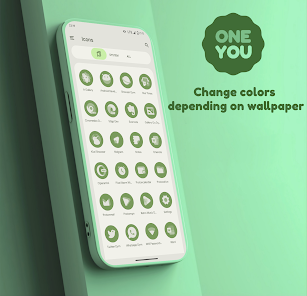
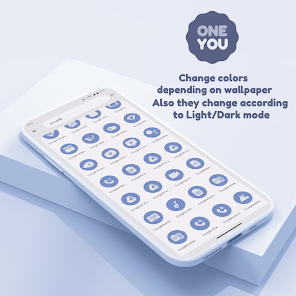
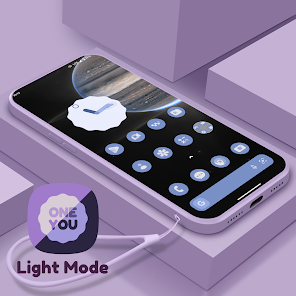
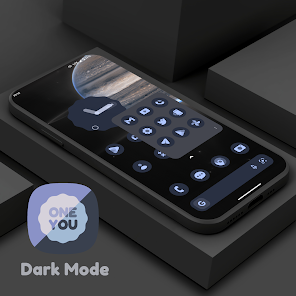
OneYou Dynamic Icon pack – inspired by Samsung One Ui 8 for android 12+… These are icons for custom launchers that change color from wallpaper / accent of system, also change in light / dark mode of device.
Available in application: – Adaptive / Dynamic icons. – MaterialYou Widgets in OneUI Stle.
How to use:
How do I change the colors of the icons? After changing wallpaper / accent system, you need to reapply icon pack (or apply another icon pack, and then immediately this one). With the exception of launchers that automatically update icons.
How do I change to light / dark mode? After changing device theme to light / dark, you need to reapply icon pack (or apply another icon pack, and then this one immediately). With the exception of launchers that automatically update icons.
Where can I find widgets? On your home screen, long press and select "Widgets", Find "OneYou" in list. Typical way, like accessing regular device widgets.
!Notes! : 1. Read description in full. 2. You need to re-apply icon pack to change colors, except for launchers that are marked (Change Colors Automaticaly). 3. Samsung: To activate Monet on Samsung devices: – Go into system settings; – Wallpaper and Styles; – Set your wallpaper > set the system color palette; – Now go into your launcher settings > select a Monet supported icon pack; – For stock Samsung launcher you have to apply icons through Theme Park (same steps). 4. For Search widgets to work, you need to have the Google application and Google Lens installed. 5. Pixel: To change icons on a Pixel: – (without root access) Set icons only on the home screen using the Shortcut Maker application; – (rooted) Set icons to both desktop and app drawer with Pixel Launcher Mods app. 6. If something does not work, go to the technical support group in telegram (link below and in application).
Recommended use Launchers: – Hyperion beta (Change Colors Automaticaly). – Niagara Launcher (Change Colors Automaticaly). – AIO Launcher (Change Colors Automaticaly). – Nova Launcher beta (Change Colors Automaticaly). – Smart Launcher beta (Change Colors Automaticaly). – Action Launcher. – Ruthless Launcher. – Lawnchair. – In Stock One UI Launcher (samsung device) use Theme Park to change color.
Whats News of OneYou Icon Pack
- Added 170+ new Icons. - Redesigned some Icons. - Fixed non-apply icons.
If something does not work for you, you can contact "technical support" in telegram: https://t.me/devPashapuma
On our website, you can download the latest version of OneYou Icon Pack v3.3.5 APK [Full Version] in APK format — fast and free! No sign-up or SMS required: direct link and verified files!

![OneYou Icon Pack v3.3.5 APK [Full Version]](https://blackmodz.com/wp-content/uploads/2026/01/43490-oneyou-icon-pack.webp)

![OneYou Icon Pack v3.3.5 APK [Full Version]](https://play-lh.googleusercontent.com/HQ5S9akpbJiOKdqNG5bAOrjnVv21NKd-5qxdbgfr933yZHAVo2Oydkz7TBNe1M4RgIg=w868)
![Gladient Icon Pack v10.8 APK [Full Version]](https://blackmodz.com/wp-content/uploads/2026/01/32717-gladient-icon-pack-ios-style.webp)

![Smart Keyboard Pro v4.29.0 APK [PAID/Patched]](https://blackmodz.com/wp-content/uploads/2026/01/37680-smart-keyboard-pro.webp)
![Mak Book OS 26 Launcher v21.2 MOD APK [Pro Unlocked]](https://blackmodz.com/wp-content/uploads/2026/01/42744-mak-book-os-26-launcher.webp)
![Lena Black Glyph Icon Pack v2.1.3 APK [Full Version]](https://blackmodz.com/wp-content/uploads/2026/02/47124-lena-black-glyph-icon-pack.webp)
![Orbit Launcher v7.4 MOD APK [Premium Unlocked]](https://blackmodz.com/wp-content/uploads/2026/02/49265-orbit-launcher-ai-3d-amp-sci-fi.webp)
![AVG Cleaner v26.01.0 MOD APK [Pro Unlocked]](https://blackmodz.com/wp-content/uploads/2026/01/43338-avg-cleaner-storage-cleaner.webp)
![Oxigen Square Icon Pack v5.4 APK [Full Version]](https://blackmodz.com/wp-content/uploads/2026/02/54994-oxigen-square-icon-pack.webp)


![Super Volume Booster v1.4.2 MOD APK [Premium Unlocked]](https://blackmodz.com/wp-content/uploads/2026/02/48113-volume-volume-booster-sound.webp)

![Funny Smile Live Wallpaper v16.0.0 MOD APK [Premium Unlocked]](https://blackmodz.com/wp-content/uploads/2026/01/40203-funny-smile-live-wallpaper.webp)
![Fonts: Stylish Text Cool Fonts v1.8.2.2 MOD APK [Premium Unlocked]](https://blackmodz.com/wp-content/uploads/2026/01/38090-fonts-stylish-text-cool-fonts-bg.webp)
![Fonts: Stylish Text Cool Fonts v1.8.2.2 MOD APK [Premium Unlocked]](https://blackmodz.com/wp-content/uploads/2026/01/38090-fonts-stylish-text-cool-fonts.webp)
![Emoji Keyboard v3.5.1 MOD APK [Premium Unlocked]](https://blackmodz.com/wp-content/uploads/2026/01/42629-emoji-keyboard-themes-amp-fonts-bg.webp)
![Emoji Keyboard v3.5.1 MOD APK [Premium Unlocked]](https://blackmodz.com/wp-content/uploads/2026/01/42629-emoji-keyboard-themes-amp-fonts.webp)
![OnePro [You] Icon Pack v4.3 APK [Full Version]](https://blackmodz.com/wp-content/uploads/2026/02/60628-onepro-you-icon-pack-bg.webp)
![OnePro [You] Icon Pack v4.3 APK [Full Version]](https://blackmodz.com/wp-content/uploads/2026/02/60628-onepro-you-icon-pack.webp)
![FlyNote v1.11.32 MOD APK [Premium Unlocked]](https://blackmodz.com/wp-content/uploads/2026/02/56678-flynote-notes-notepad-bg.webp)
![FlyNote v1.11.32 MOD APK [Premium Unlocked]](https://blackmodz.com/wp-content/uploads/2026/02/56678-flynote-notes-notepad.webp)
![PixLinear You Icon Pack v2.0.0 APK [Full Version]](https://blackmodz.com/wp-content/uploads/2026/02/61420-pixlinear-you-icon-pack.webp)
![Glassy Colors Icons v1.1.0 APK [Full Version]](https://blackmodz.com/wp-content/uploads/2026/01/40242-glassy-colors-icons.webp)
![PixLinear Dark Icon Pack v1.6 Beta APK [Full Version]](https://blackmodz.com/wp-content/uploads/2026/01/25538-pixlinear-dark-icon-pack.webp)
![PixLinear Dark Icon Pack v1.8 APK [Full Version]](https://blackmodz.com/wp-content/uploads/2026/02/51840-pixlinear-dark-icon-pack.webp)
![iMaterial Icon Pack v2.2.0 APK [Full Version]](https://blackmodz.com/wp-content/uploads/2026/01/24452-imaterial-icon-pack.webp)
![PixLinear You Icon Pack v1.9.0 APK [Full Version]](https://blackmodz.com/wp-content/uploads/2026/02/51846-pixlinear-you-icon-pack.webp)

There are no comments yet :(